
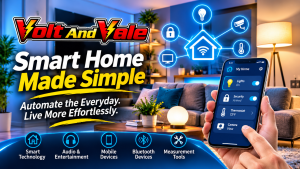
You walk into the living room carrying dinner and realize the lamp is still off. Later, you settle onto the sofa, only to remember that you left another light on upstairs. These are small interruptions, but they explain the appeal of smart technology better than a dramatic demonstration ever could. A useful connected home handles familiar moments with less effort.
The challenge is deciding which moments deserve automation. For VoltAndVale.com readers, a sensible approach begins with one routine, a clear purpose, and controls everyone can understand. The goal is a home that responds predictably to daily life, with technology that remains easy to manage after the novelty wears off.
Think about a repeated action that feels unnecessarily awkward. Perhaps you cross a room to adjust a lamp every evening, or you regularly turn several compatible lights on together. Write down what happens now and what you would prefer to happen instead.
Be specific about the trigger and the result. “Make the living room smarter” leaves plenty of room for unnecessary purchases. “Adjust the evening lighting from my usual seat” gives you a practical requirement against which to judge a device or feature.
Also consider whether the routine is consistent. A fixed schedule might suit a predictable evening, while a button or app control may work better when your plans change. Automation is most useful when it reflects a real habit rather than asking the household to adopt a new one.
Smart devices can rely on different combinations of wireless connections, controllers, hubs, applications, and online services. Before adding anything, sketch the basic relationship between the device and the way you expect to control it. A familiar wireless label alone does not establish that every feature will work with your existing setup.
Matter is one compatibility standard you may encounter. The Connectivity Standards Alliance explains that it works alongside smart home platforms and uses technologies including Wi-Fi, Thread, and Ethernet. Its guidance also distinguishes local control from remote access, which can require an internet-connected controller.
Connectivity Standards Alliance
Check the exact product requirements, supported platform, and features available through your chosen controller. A compatibility badge is a helpful starting point, but the complete arrangement still deserves attention. Confirm what additional equipment, accounts, or applications are needed before deciding that a device fits your home.
A routine links an action to a condition or instruction. Depending on the equipment, that might mean adjusting compatible lights at a chosen time or activating several settings through one command. The available actions vary, so begin with what your actual devices support.
Try a modest routine first and live with it for several days. If an evening lighting schedule is the starting point, notice whether it happens too early on weekends or feels inconvenient when you are away. Make those corrections before adding other rooms or conditions.
Keep exceptions easy to handle. You should be able to change your mind without editing a complicated sequence. A routine that needs constant supervision has probably become more elaborate than the task requires. Simplifying it can offer more value than adding another layer of automation.
A connected home is shared by people with different preferences. One person may enjoy using a phone for everything, while another simply wants to turn on a light. Guests should not need an account or a tutorial to feel comfortable in an ordinary room.
Check how physical controls interact with the smart features. For example, determine what happens when someone uses the existing switch and how normal operation is restored. These details depend on the device and installation, so consult the manufacturer’s instructions rather than assuming the behavior.
Name devices clearly if you use app or voice controls. “Reading lamp” is easier to remember than a default string of letters and numbers. Consistent names also make it easier to identify which device needs attention when something does not respond as expected.
A smart feature may depend on more than the device receiving power. Internet access, local networking, a controller, or a manufacturer’s service may be involved. Review which functions continue locally and which require an outside connection.
Consider ordinary disruptions: a router restart, an unavailable phone, or a service interruption. Check the documentation for expected behavior and reconnection steps. Where the manufacturer provides a straightforward way to test local operation, use it to understand the setup before you depend on it.
Avoid extending a convenient experiment into a critical task without understanding its limitations. A lighting preference and an essential household function deserve different expectations. Knowing the boundaries helps you choose where connected controls genuinely improve daily life.
Connecting a device is only part of bringing it into the home. Review its account permissions, privacy options, and update settings while the instructions are still close at hand. Check what information the companion application requests and whether optional features serve a purpose you actually want.
The Federal Trade Commission recommends keeping connected-device firmware updated and using available security features. Its guidance also advises stronger login credentials rather than easily guessed account details. Apply those basics to the accounts and equipment involved in your setup.
Federal Trade Commission
Use individual sharing features where supported instead of passing one password around the household. Keep track of who has access, and revisit that access when circumstances change. A little organization now can make later troubleshooting and device replacement much simpler.
After a few weeks, ask whether the original routine actually helped. Did it remove a repeated interruption? Can everyone operate it? Does it behave predictably when plans change? Those answers matter more than the number of connected devices in the room.
If the improvement is clear, consider a related addition that builds on what already works. If it feels awkward, adjust the routine or leave the task manual. There is no need to connect something simply because the option exists.
The most satisfying smart technology becomes familiar. Lights respond as expected, controls make sense, and small household tasks require less attention. Building toward that experience one useful change at a time gives a connected home a purpose beyond its features.
